.svg?dpl=dpl_Gpqs45AXdkz4EJAcwWCjJC7nVDdS)
This case study covers website development for a medical equipment supplier in Dubai: a 4,243-product B2B catalogue with a request-for-quote workflow instead of a checkout. HumaNova needed hospital procurement teams to find a product, build a quote list and send one enquiry. It also needed to update that catalogue itself, every week, without calling a developer. We built the site on Next.js, made a Google Sheet the content system, and took it live on 1 October 2026.
The Client
HumaNova is a medical equipment and consumables supplier based in Deira, Dubai. It supplies across 15 categories: surgical instruments, dental, respiratory care, patient monitoring, operating room equipment, hospital furniture, wound care and more. The catalogue carries 23 brands with live products.
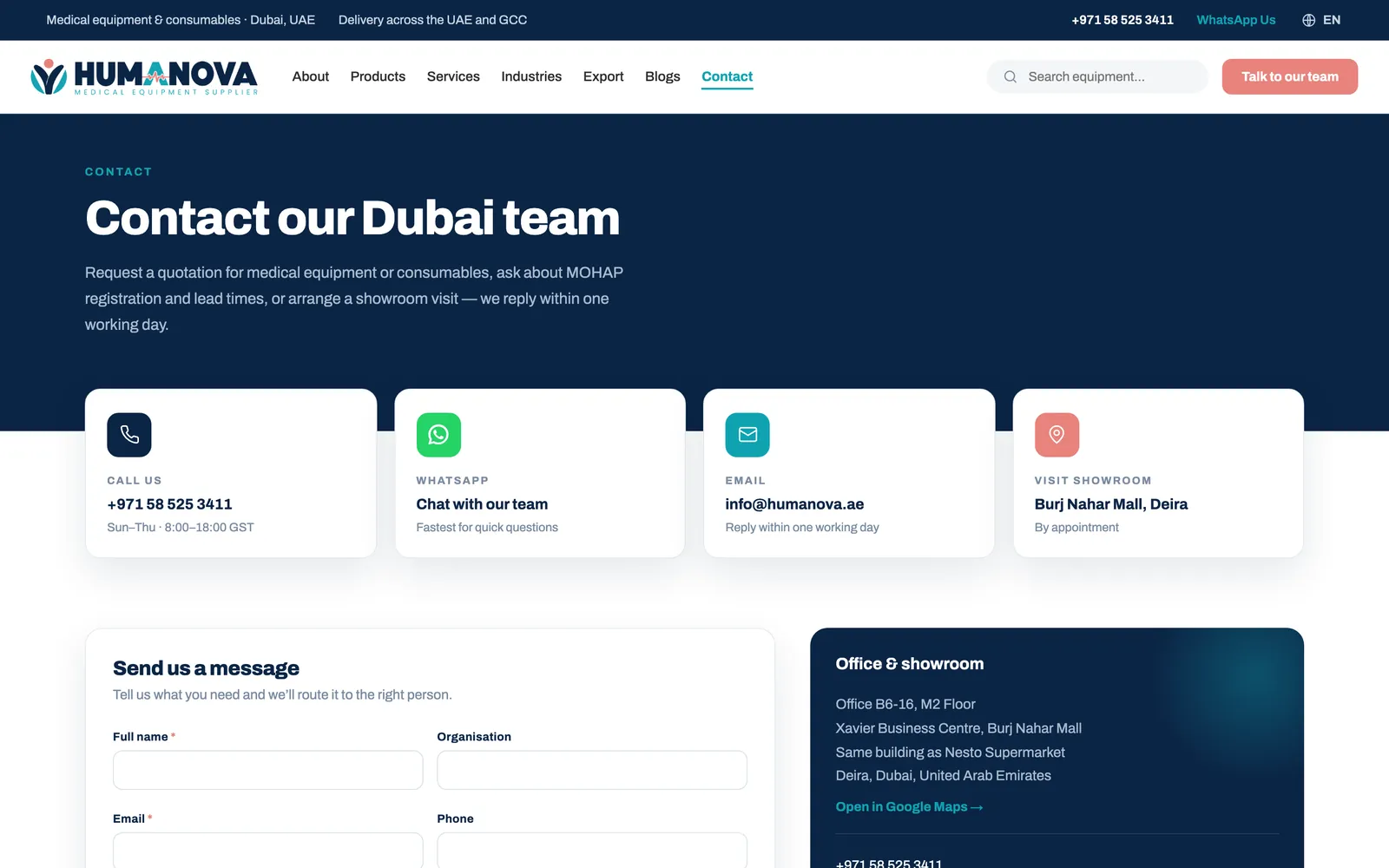
Its buyers are hospitals, clinics, laboratories and procurement teams in the UAE and the wider GCC, with export customers in Africa and Asia. These buyers do not buy from a cart. They send a list, expect itemised pricing with lead times, and often need documentation for a tender submission. The website had to match that process.
The Challenge
The brief looked simple: build eight approved page designs. The real work was in the data and the hosting.
- The product data was a 6,085-row spreadsheet built from supplier feeds. Hundreds of image links showed manufacturer logos or "no image" icons rather than products. One 909-product feed had titles like "Printing Paper 4 pcs".
- No prices could be shown. Every enquiry had to go through a quote request, but buyers still needed a catalogue they could search, filter and trust.
- The hosting was shared cPanel, which cannot run a headless CMS. Yet the client needed to add products and swap images without a developer.
- Every claim going on the site, certifications, testimonials, figures, needed to be checked against what the business could actually stand behind before launch, standard practice for a regulated industry like medical supply.
- Established competitors have decades of domain history, so the technical foundation had to be clean from day one.
Our Approach
We structured the site around the buyer journey: find the product, compare it with the range, send one quote request. Three decisions followed.
The catalogue is the site. Category and subcategory are real pages with real URLs, not filter parameters. That gives 15 category and 74 subcategory pages, each with its own H1, copy and canonical tag.
A quote list replaces the checkout. Buyers add items from any product card, see a floating count, and submit one form. It opens their own email client or WhatsApp with the request pre-filled, so there is no backend to break.
The spreadsheet stays the source of truth. Rather than force the data into a CMS the hosting could not run, we made the sheet the CMS. The client edits cells and presses Publish. A GitHub Action validates the sheet and redeploys in about two minutes.
The sidebar always shows every category and brand so a visitor never hits a dead end. Brand and category filters do not stack, because combining them produced empty results.
What We Built for a Medical Equipment Supplier in Dubai
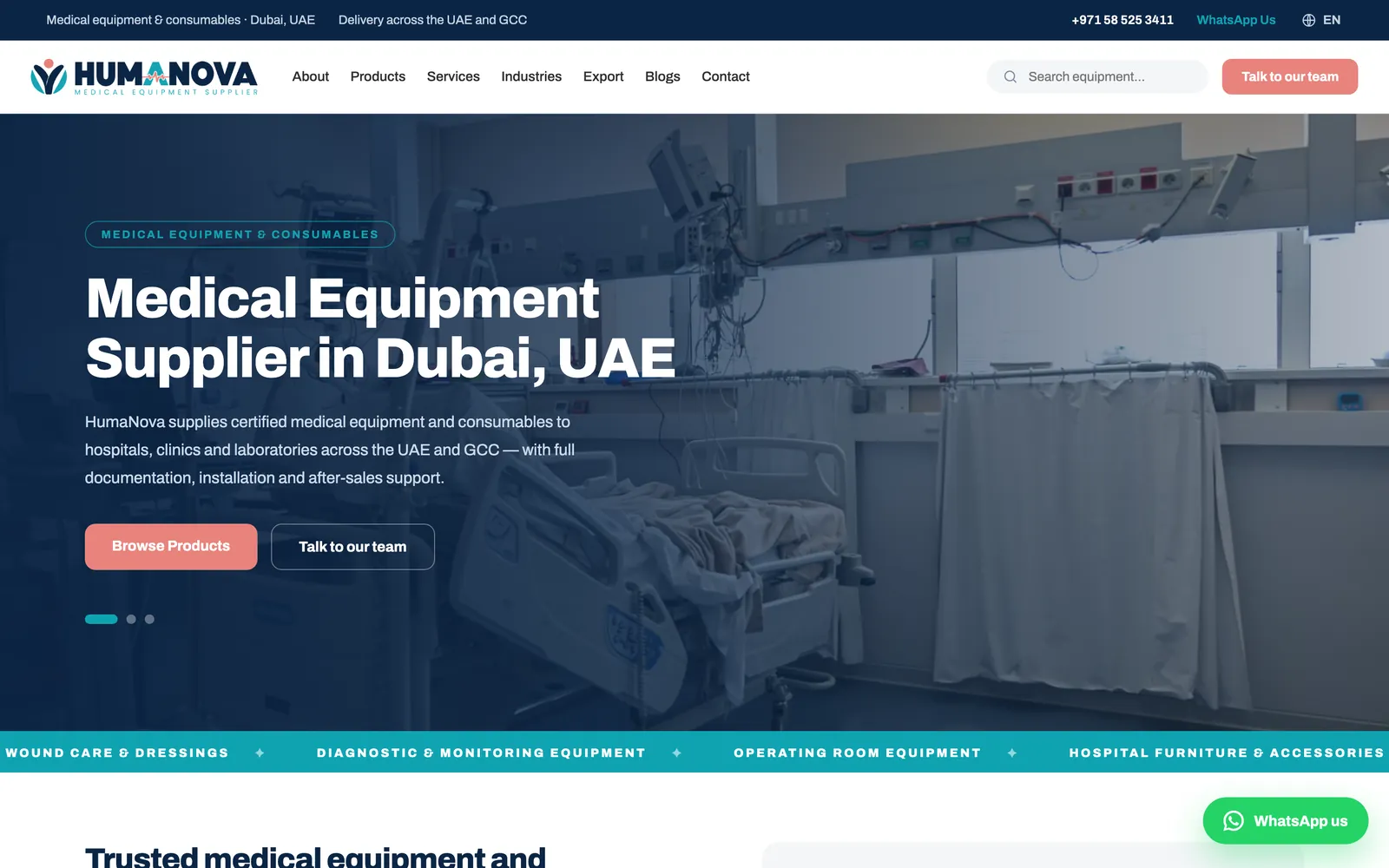
Homepage with live catalogue counts and a brand showcase
The homepage leads with a three-slide hero, an indexable intro block, and six category tiles whose product counts come from the live catalogue. A slider shows manufacturer logos supplied by the client. It is a showcase, not navigation, because several brands have no live products yet.

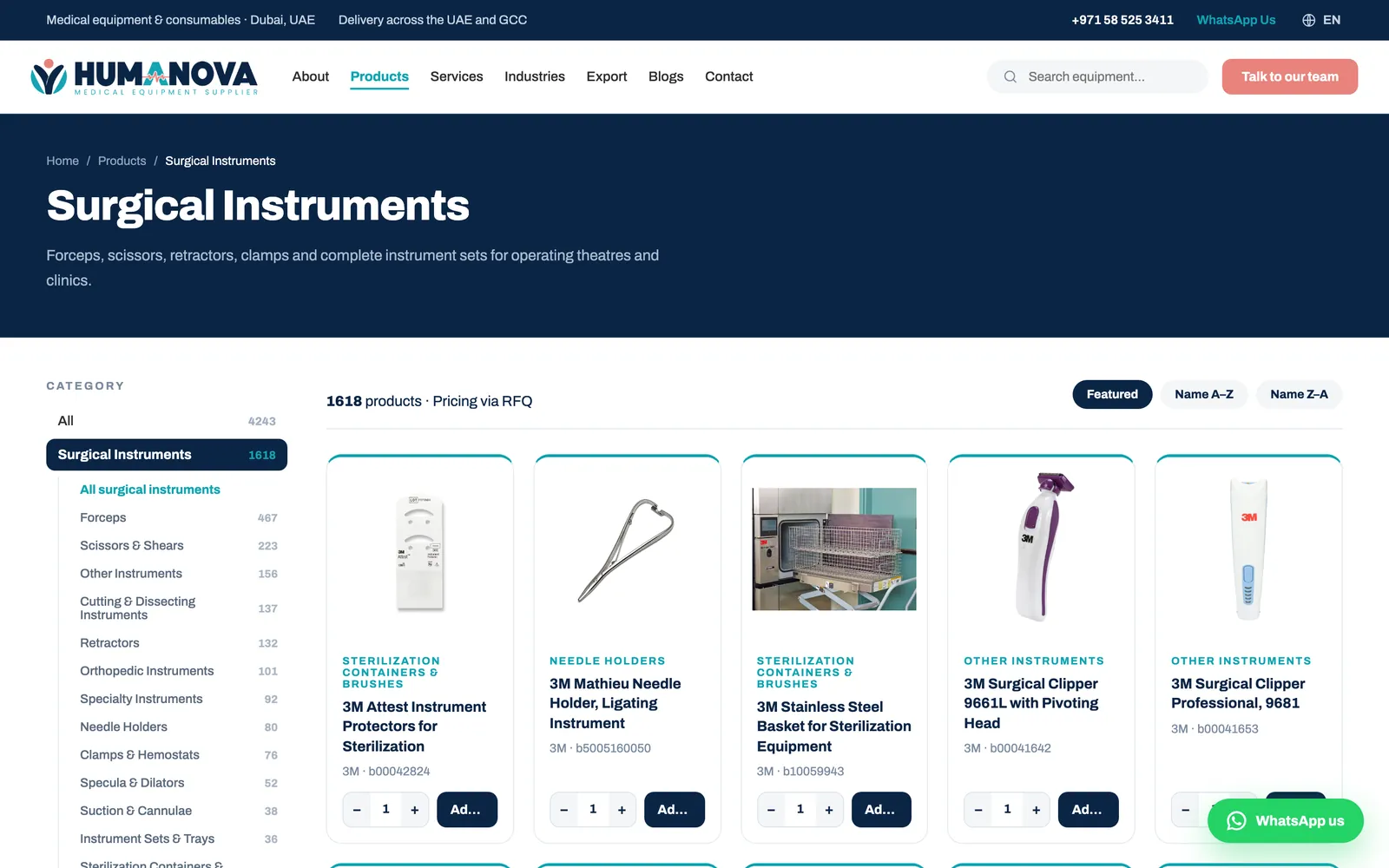
Catalogue and 90 category landing pages
The catalogue grid renders on the server, so every product is crawlable. A sticky sidebar lists all 15 categories with subcategories and counts, plus a brand filter. Below the grid on every category page sits a hand-written keyword paragraph. Below on purpose: buyers came to see products, and Google reads the whole document either way.
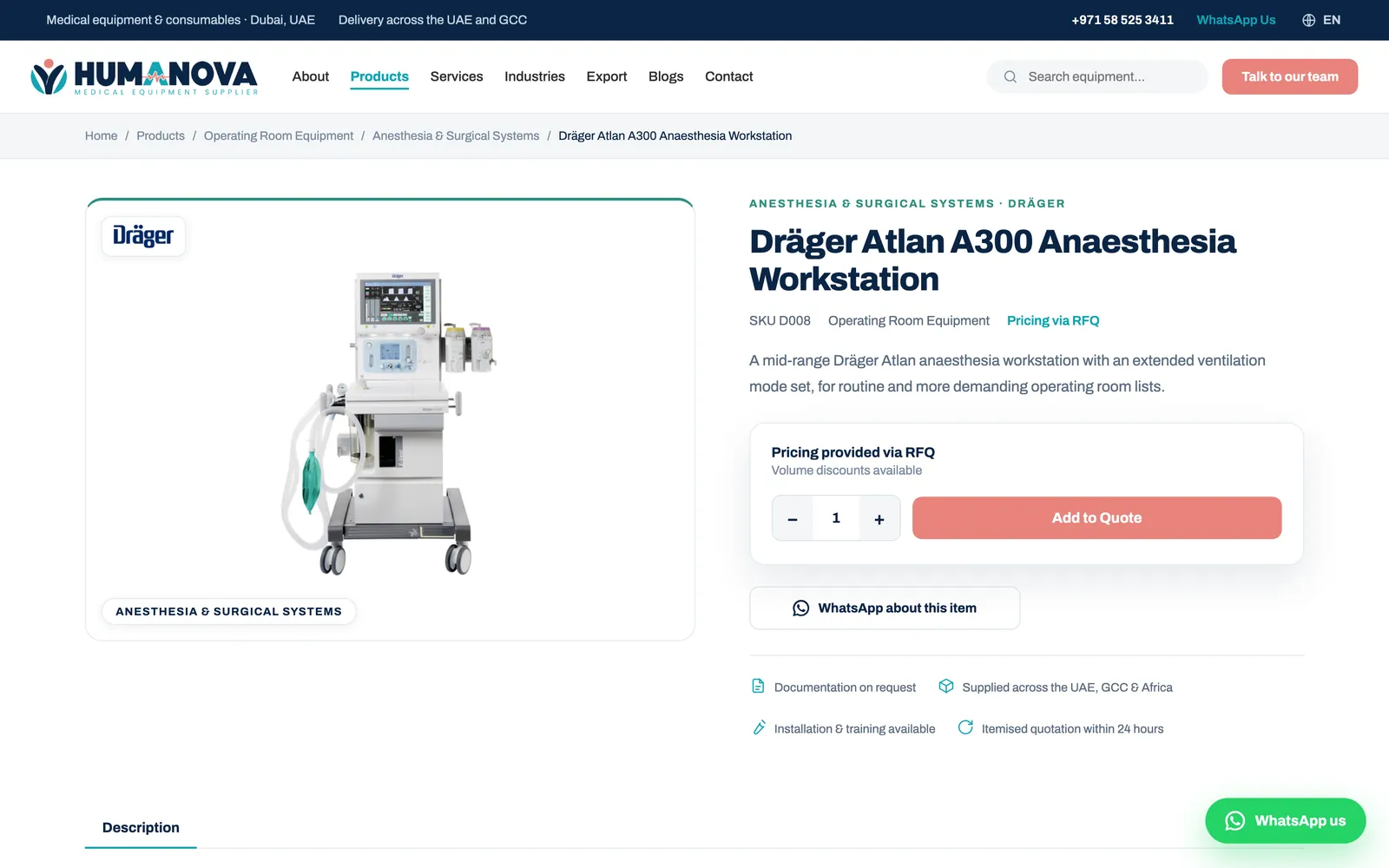
Product pages with an RFQ panel and a WhatsApp button
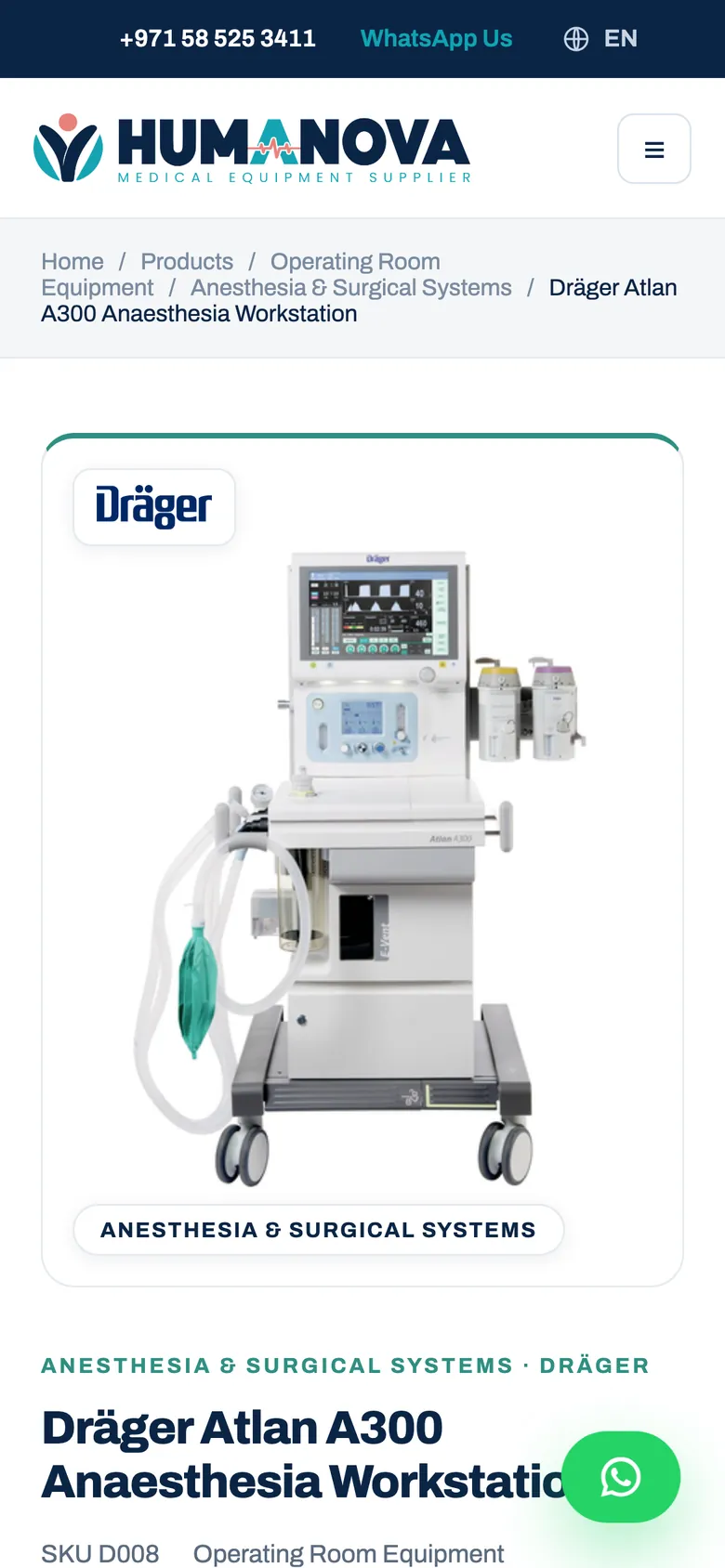
All 4,243 product pages share one layout: photo with brand badge, SKU, breadcrumb, description, a quantity stepper with "Add to Quote", a "WhatsApp about this item" button, and related products. Each page emits Product and BreadcrumbList schema.
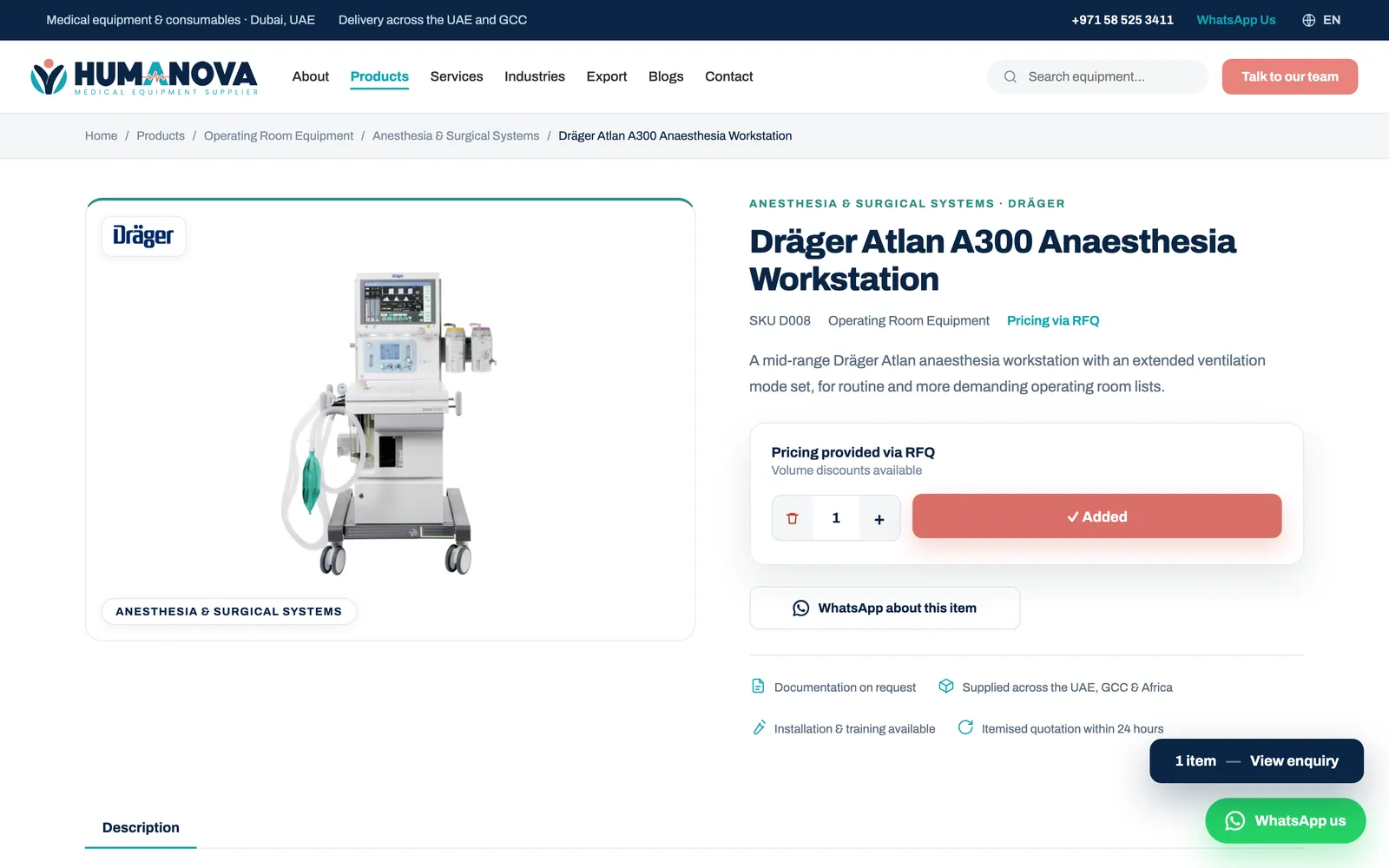
Quote list and request-for-quote form
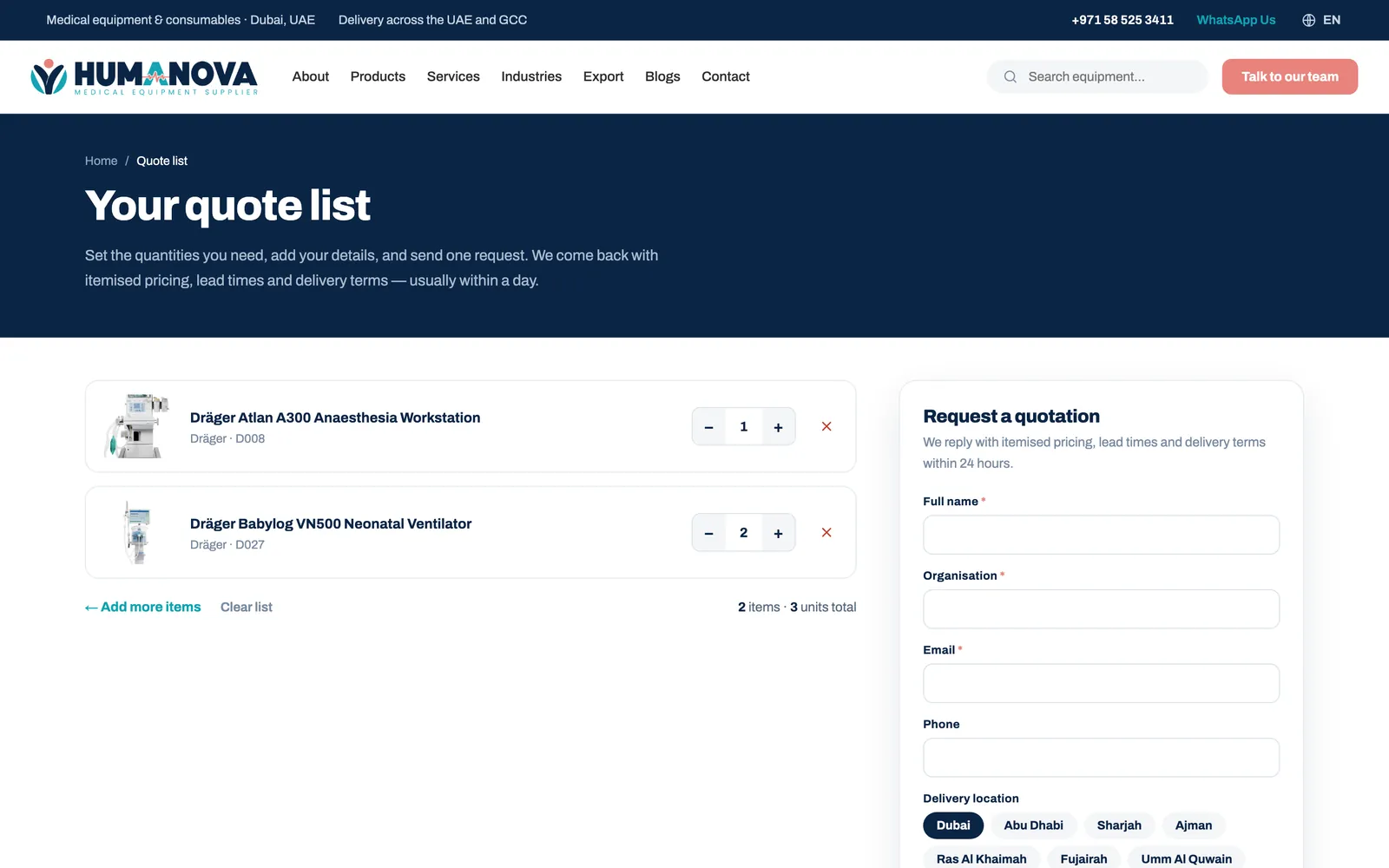
Adding an item flips the button to "Added" and shows a floating bar with the running count. The quote page lists every item with quantity steppers, then asks for name, organisation, email, phone and delivery emirate. Submit opens the buyer's mail app or WhatsApp with the full list written out.
A Google Sheet that publishes to the live site
The client-facing sheet has 13 plain-language columns with dropdowns for brand, category and subcategory. A menu item, "Publish changes to the website", triggers the sync, and a nightly run catches anything left unpublished. The sync refuses duplicate SKUs, missing categories and corrupted characters, so a bad edit never reaches the live site.
Supporting pages for search and for buyers
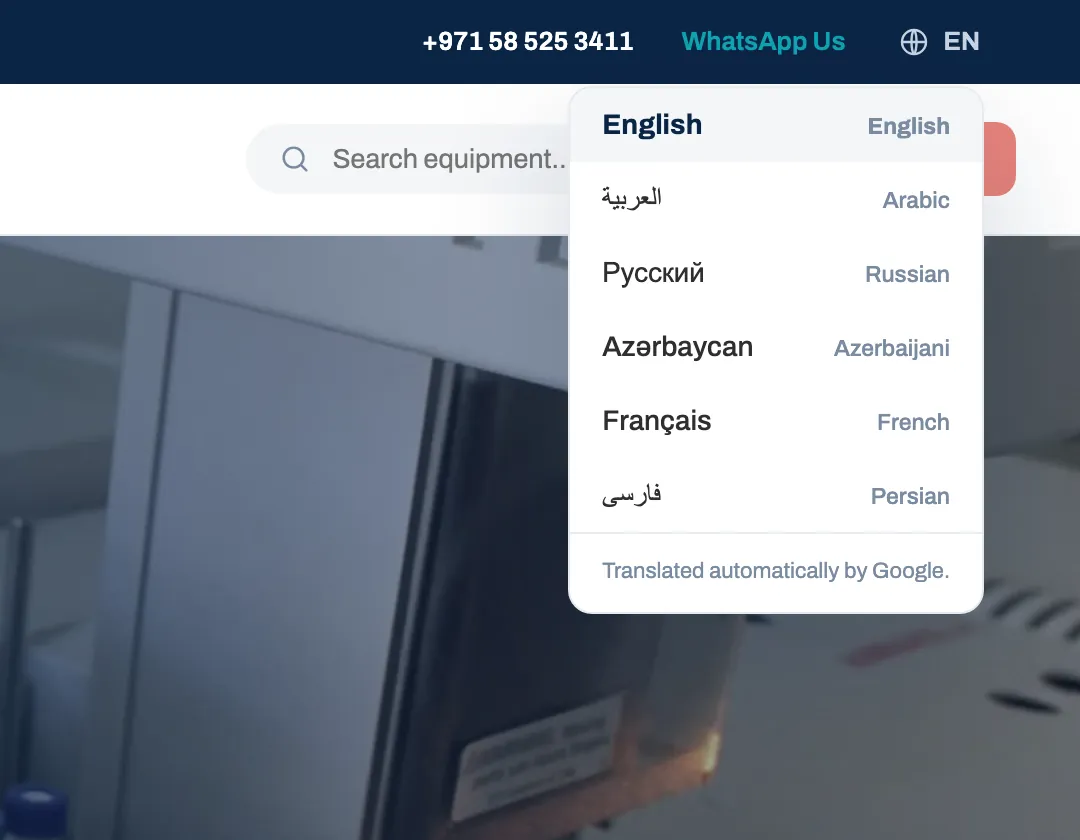
Services, industries, export markets, an FAQ page, nine procurement articles, and four service-area pages with distinct copy for Dubai, Abu Dhabi, Sharjah and the Northern Emirates. A language selector offers five languages besides English, client-side, which helps visitors but does not create separately indexable translated pages.
What Made This Project Different
The content system costs nothing and the client already knew how to use it. Most agencies would have sold a CMS licence or a VPS. The sheet route took about two days to build and has no monthly fee. Before launch, the client had already added 20 product images themselves.
The site's structure comes from the data. Categories, subcategories and brands are derived from published products. Type a new category into the sheet and it gets a landing page, a sidebar entry and a sitemap line automatically. Hide the last product in a branch and the branch disappears. No code change either way.
We audited every claim going on the site: certification mentions, testimonials and performance figures were checked against what the business could actually substantiate, and anything that did not clear that bar was cut before launch. A procurement officer who catches one unverifiable claim stops trusting the rest of the page.
Problems We Solved Along the Way
1,498 product images that were actually logos
Many image links returned HTTP 200 but showed a manufacturer logo or a "no image" graphic, so automated link checks passed them. We reviewed the images, cleared 1,498 URLs, and mirrored the change into the client's sheet so the next publish would not restore them.
731 discontinued products with the warning hidden in the pixels
One supplier feed's photos carried a "THIS ITEM HAS BEEN DISCONTINUED" overlay. Nothing in the data said so. We fetched all 2,120 images from that feed and detected the pale-blue gradient the overlay sits on. The 731 matches were unpublished, not deleted, so one cell flips any of them back if stock returns.
760 images that opened in a browser but failed on the site
Two suppliers' servers return a 403 when the request carries another site's Referer header. Pasting the URL into a browser sends none, so the images looked fine in testing. A no-referrer policy on product images recovered all 760. We then hid the remaining 1,111 products without a photo, taking image coverage to 100 percent.
909 products with fragment titles
One supplier feed had titles such as "Printing Paper 4 pcs", 225 empty descriptions and raw internal spec fields. We rewrote every title, description and specification in the catalogue's house style, under rules that forbid certification, stock and lead-time claims, then audited the batch.
Two dead links on every product page
Each product breadcrumb linked to its category and subcategory, and both URLs returned 404 on 4,445 pages, with the same dead URLs in the BreadcrumbList schema. Building the 90 landing pages fixed every one and turned the problem into 90 ranking opportunities.
Built for Mobile
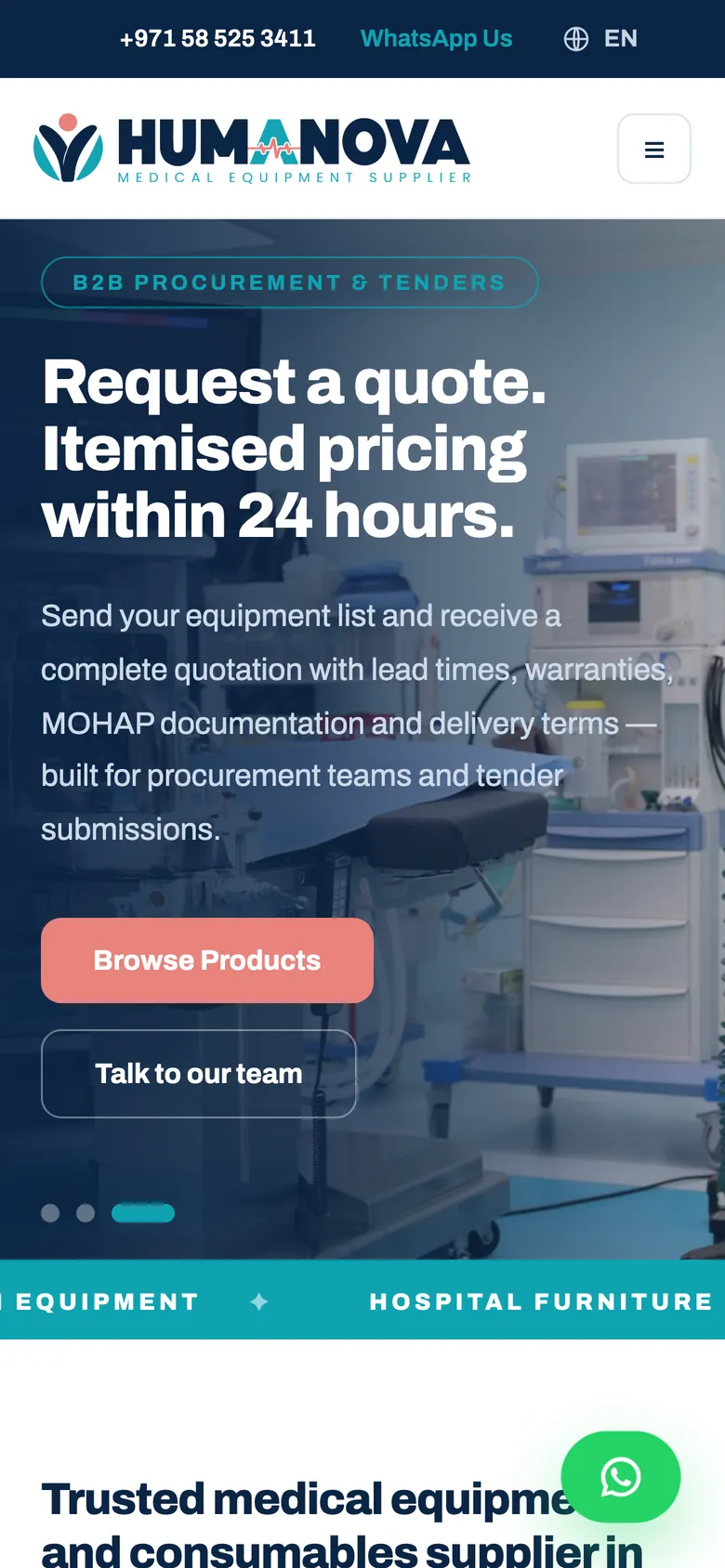
Procurement staff check a supplier on their phone first. At phone width the sidebar collapses above the grid, cards stack, and the quote bar and WhatsApp button stay within thumb reach.
SEO Built In From Day One
- Unique title and meta description on every page: titles 26 to 58 characters, descriptions 136 to 153, exactly one H1 each.
- Canonical URLs everywhere. Filtered catalogue views canonicalise to the unfiltered page, and robots rules block sort and search parameters.
- One canonical domain with the www, and the apex redirecting to it with a 308.
- A 4,354-URL sitemap generated from live content, so it updates every time the client publishes.
- Structured data: Organization, MedicalBusiness and LocalBusiness site-wide, WebSite with SearchAction, BreadcrumbList, Product, Article, FAQPage and Service where each applies.
- Brand logos converted to WebP and loaded eagerly so the slider never "flies in" mid-scroll.
- Google Analytics 4 verified to fire a page view on client-side navigation, the part that silently fails when the tag is pasted by hand.
Results
The site went live on 1 October 2026. Google Search Console verification and sitemap submission are the client's next step, so no traffic or ranking figures exist yet. What is measurable today:
- 4,243 live products, every one with a real photograph.
- 15 categories, 74 subcategories and 90 hand-written landing pages.
- A 4,354-URL sitemap generated from the live catalogue.
- The client publishing catalogue changes independently from the sheet, before and after launch.
- Build to launch in just over two weeks.
Enquiry, ranking and traffic data is still early, since the site only recently went live.