.svg?dpl=dpl_ExEi7mt8T9VcosAG474wZmtYZg4G)

Why 2 Seconds Is the Line
Visitors do not compare your load time to your competitor's. They compare it to every app on their phone, and their patience runs out fast. A site that takes five or six seconds bleeds inquiries silently: the visitor taps back and calls whoever loaded first, and no analytics report ever tells you it happened.
Under 2 seconds for the main content to appear is achievable for almost any business site, on any platform, without exotic engineering. This guide is the how. If you want the background on the specific metrics Google grades you on, we have explained those separately, and this post stays focused on the fixes.
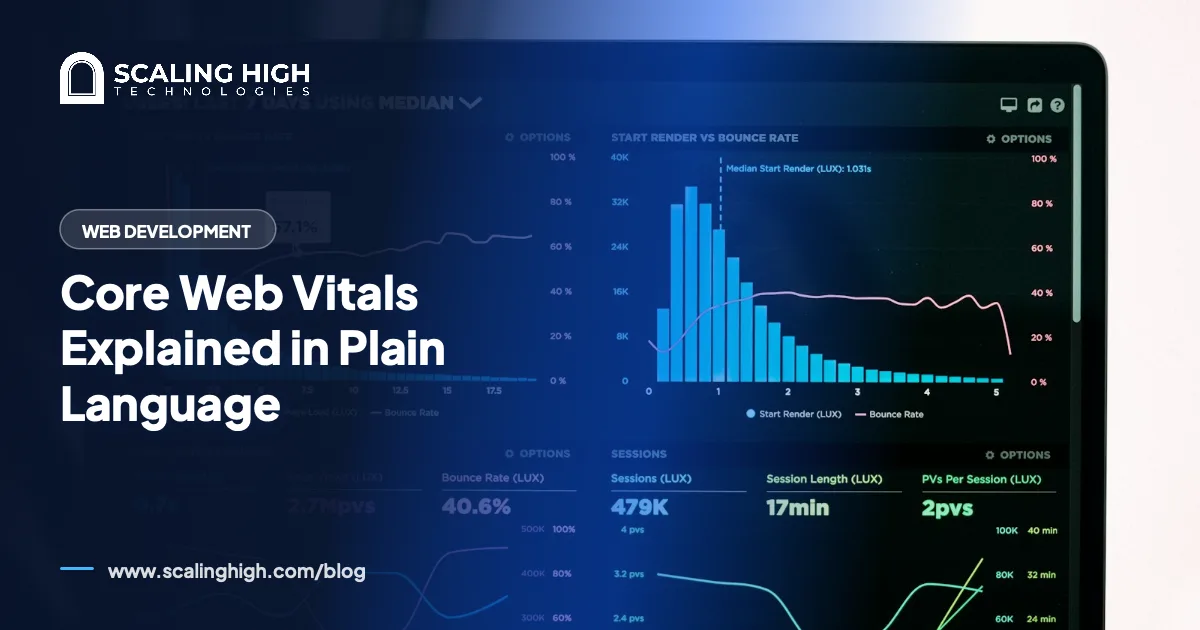
Background reading: Core Web Vitals Explained in Plain LanguageFirst, Measure Where You Stand
Open PageSpeed Insights at pagespeed.web.dev, enter your homepage URL, and run the test. Two habits make the numbers useful. Check the field data at the top when available, because it comes from real visitors on real connections. And test your most important pages, not just the homepage, since the service page a customer lands on from Google is the one that has to be quick.
Write down your starting numbers. Every fix below should be followed by a retest, so you know what worked instead of guessing.
Fix 1: Images, the Biggest Win
On nearly every slow business site we audit, images are the heaviest thing on the page by a wide margin. A phone photo dropped straight into a page can weigh several megabytes, then get displayed at a fraction of its dimensions. Multiply by a gallery and the page is doomed before anything else loads.
- Resize images to roughly the size they display. A photo shown 800 pixels wide does not need 4,000 pixels of width behind it.
- Compress everything. Free tools like Squoosh or TinyPNG shrink files dramatically with no visible quality loss.
- Prefer modern formats such as WebP, which most platforms and plugins now convert to automatically.
- Let images below the first screen lazy-load, so the browser fetches them only as the visitor scrolls. WordPress and most builders do this by default now, but older themes may not.
This is entirely owner-fixable and routinely cuts page weight by more than half.
Fix 2: Hosting, Your Speed Floor
Everything on your page waits for the server's first response. On oversold budget hosting, that first byte alone can take longer than your entire load time target, and nothing you optimize afterward can claw that back.
In PageSpeed Insights, a warning about reducing initial server response time points here. The fix is unglamorous: move to reputable hosting with data centers near your customers. For UAE audiences that means European or Middle East regions rather than a default US server, since distance adds delay to every single request. Migration is a developer task, but a small, one-time one, and often the single best money spent on speed.
Fix 3: Plugins, Widgets, and Scripts
Every plugin, chat bubble, tracking pixel, and slider adds code the visitor's phone must download and execute. Sites accumulate these for years, and each one seemed harmless when added.
Do a ruthless inventory. Deactivate and delete plugins you no longer use, keep one tool per job instead of three overlapping ones, and question every third-party widget: if the chat bubble gets two messages a year, it is not paying for its weight. On WordPress, this cleanup is owner-fixable and often takes a visible chunk off load time in an afternoon.
Before deleting anything, take a full site backup, then remove plugins one at a time and click through the site after each removal. Ten careful minutes here prevents the one horror story everyone has heard about.
Fix 4: Caching and a CDN
Without caching, your server rebuilds each page from scratch for every visitor, doing the same work thousands of times. Page caching stores the finished result and serves it instantly. On WordPress, a single well-configured caching plugin handles this, and many good hosts build it in at the server level.
A CDN, a content delivery network, adds the geographic half: it keeps copies of your files in locations around the world so a visitor in Dubai and a visitor in Texas both download from somewhere nearby. Entry-level CDN tiers are inexpensive or free and setup is mostly DNS configuration. This one sits on the border: confident owners manage it, everyone else should hand it to a developer for an hour.
Fix 5: Fonts, the Quiet Offender
Custom fonts are a hidden tax when a site loads five typefaces in four weights each. Every variant is a separate download, and text may wait on them before rendering.
Trim to two font families and only the weights you actually use. If your theme lets you host fonts on your own domain rather than pulling them from a third party, do it, one less external stop before your text appears. A system-font body with a single branded heading font is a combination plenty of fast, professional sites quietly use.
Owner Work vs Developer Work
To make the split explicit. Owner-fixable: image compression and resizing, plugin cleanup, font trimming, installing a caching plugin, and running the measurements. Developer territory: hosting migration, server response tuning, render-blocking code, theme-level surgery, and CDN setup if DNS makes you nervous. The developer items are bounded projects with clear finish lines, so a speed engagement should be quoted as one, not as an open-ended retainer.
Speed is also something you buy once at build time or pay for repeatedly afterward, which is why every site Scaling High Technologies ships is launched fast rather than patched fast later.
Rather Have It Built Fast From Day One?
We build business websites that pass speed benchmarks at launch, WordPress from AED 3,000, Framer from 4,000, WooCommerce from 6,000. If your current site is the slow one, we can audit it and quote the fix as a fixed-scope job.
See Web Development ServicesThe Order of Operations
Measure first. Then images, then plugin cleanup, then caching, then fonts, retesting after each. If the numbers still disappoint after all four, the remaining problem lives in hosting or code, and you will walk into that developer conversation knowing exactly what has been ruled out. Most sites that follow this sequence land under the 2 second line without ever reaching the developer stage.