Explore Our Blogs
CMS vs Custom Website Development: Which Is Better?
CMS vs Custom Website Development: Which Is Better?
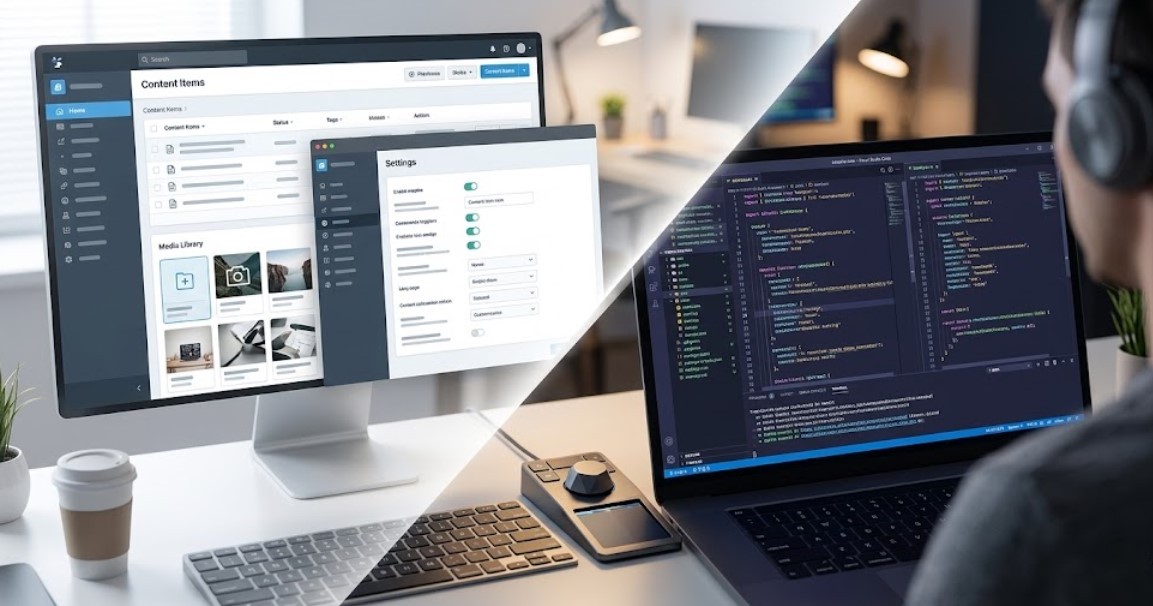
Choosing the right approach to building a website is one of the most critical decisions for any business or project. Two primary paths dominate this choice: using a Content Management System (CMS) or opting for custom website development. Each method has distinct characteristics, advantages, limitations, and ideal use cases.
This comprehensive discussion helps to understand both options thoroughly and allows decision‑makers to align technical choices with business goals, budgets, scalability plans, and long‑term strategy.
Understanding Website Development Approaches
What Is a Content Management System (CMS)?
A CMS is a pre‑built software platform that enables users to build, manage, and update website content without extensive coding knowledge. Popular CMS platforms include WordPress, Shopify, Drupal, Joomla, Wix, and Squarespace. These systems provide:
Pre‑built templates and themes
Plugins or extensions for additional functionality
User‑friendly dashboards for content management
Rapid deployment without deep technical skills
CMS platforms reduce technical barriers and allow marketing or non‑technical teams to manage content, publish new pages, and adjust layouts using visual tools. This makes them appealing for blogs, small businesses, portfolios, and ecommerce sites with standard requirements.
What Is Custom Website Development?
Custom website development involves building a site from scratch using programming languages and frameworks such as HTML, CSS, JavaScript, React, Laravel, Django, or Next.js. Key aspects include:
Custom code tailored to business logic
Complete control over architecture, design, and features
Integration with proprietary systems (CRM, ERP, APIs)
Server‑side optimization and performance tuning
Custom development is typically chosen for complex applications, unique business processes, high‑performance needs, and long‑term scalability. Businesses looking to get a fully tailored solution can benefit greatly from expert web development services to ensure every feature and function aligns perfectly with their objectives.
Comparative Analysis: CMS vs Custom Website Development
Development Time and Cost
CMS Websites:
Development Time: Usually shorter (days to weeks) because of templates and plugin ecosystems.
Upfront Cost: Lower initial cost due to pre‑built functionalities and less technical labor.
Custom Sites:
Development Time: Longer (weeks to months), requiring planning, design, and coding.
Upfront Cost: Higher initial investment due to developer expertise and bespoke architecture.
Case Example:
A brochure site for a local business or blog can be live within a week on platforms like WordPress or Wix. Conversely, a complex marketplace or enterprise portal built with a custom framework may require several months of development and testing.
Flexibility and Customization
CMS:
Offers limited customization within the scope of available themes and plugins.
Advanced custom features often still require developer intervention to modify core code or plugins.
Custom Development:
Unlimited flexibility and precise tailoring to business specifications.
Full control over UI/UX design, data models, and functionality.
Expert Insight:
For businesses with unique workflows, such as proprietary booking systems, custom dashboards, or industry‑specific software requirements, a custom build avoids plugin limitations and delivers higher performance.
Performance, Security, and Scalability
Performance
CMS platforms can become slow if overloaded with plugins or poorly optimized themes.
Custom sites allow fine‑tuned performance optimizations and lean code for faster load times.
Security
Popular CMS platforms can be frequent targets for attacks due to their widespread use and plugin vulnerabilities.
Custom development offers stronger control over security measures tailored to the project.
Scalability
CMS systems may face limits as traffic grows or custom requirements increase.
Custom builds scale more effectively with complex business needs but require thoughtful architectural design.
Research Insight:
Academic analysis suggests that even a small number of unpatched vulnerabilities in popular CMS platforms can significantly increase risk exposure. This reinforces the need for regular updates and security audits for CMS sites.
Ongoing Maintenance and Ownership
CMS Websites:
Usually easier to maintain for non‑technical users.
Requires continued updates of plugins, themes, and the core system to avoid security risks.
Custom Sites:
Requires professional maintenance and developer resources for updates, security patches, and feature additions.
Can be more costly over time but delivers more predictable performance.
SEO and Search Performance
CMS:
CMS platforms often support SEO best practices via built‑in tools and plugins (e.g., XML sitemaps, meta tag management).
SEO execution depends heavily on content quality, site structure, and speed. For businesses that want to maximize these advantages and achieve top search rankings, leveraging expert SEO services ensures your CMS site is fully optimized and search-ready..
Custom:
Custom builds can deliver cleaner, leaner code and improved performance, which benefits search engine rankings when optimized properly.
Real‑world evidence suggests that both approaches can achieve strong SEO results when implemented well, but custom code offers marginal advantages in speed and structured markup.
CMS vs Custom Website Development: Quick Comparison
Feature | CMS Website | Custom Website Development |
Development Time | Short (days to weeks) | Long (weeks to months) |
Cost | Lower upfront cost | Higher upfront cost |
Customization | Limited by themes and plugins | Fully customizable |
Performance | Moderate; can slow with many plugins | High; optimized for speed |
Security | Vulnerable if plugins/themes outdated | Stronger; tailored security measures |
Scalability | Limited for complex needs | Highly scalable |
Maintenance | Easy for non-technical users | Requires developers for updates |
Ideal Use Case | Blogs, portfolios, small business, standard ecommerce | Enterprise apps, marketplaces, SaaS, complex portals |
Use Cases and When to Choose Each
Ideal Scenarios for CMS
CMS is often the best choice when:
The website is content‑driven (blogs, portfolios, simple business sites).
Budget and time‑to‑launch are priorities.
Non‑technical team members need direct control of content.
Ecommerce functionality can be handled by a platform like Shopify or WooCommerce.
Ideal Scenarios for Custom Development
Custom development is recommended when:
Unique business logic, workflows, or user experiences are required.
Long‑term scalability, integrations (CRM/ERP), or complex data flows are crucial.
Maximum performance, security, and optimization are priorities.
Branding and interface design demand a unique presence.
Sector Example:
Enterprise portals, SaaS applications, and high‑traffic marketplaces almost always benefit from custom architecture to support integrations, APIs, and advanced user interactions.
Expert Perspectives
Industry experts often emphasize that there is no universal “best” solution, each option fits specific business needs. The choice hinges on strategic goals, technical capacity, and projected growth. It is not uncommon for businesses to start with a CMS and migrate to a custom platform as requirements become more advanced.
Future trends also include headless CMS models, which separate content management from presentation layers, giving greater flexibility for omnichannel delivery (e.g., websites, mobile apps, IoT interfaces) without losing CMS convenience.
AI Overview
This blog explains CMS vs custom website development in detail, comparing costs, performance, security, flexibility, scalability, and maintenance to help businesses make an informed, strategic choice for their website needs.
FAQs
Is it how to choose between a website builder or CMS?
Choosing depends on your technical skills, budget, and website complexity. CMS offers more flexibility, while website builders are faster for simple sites.
What are the disadvantages of CMS?
CMS can have security vulnerabilities, plugin conflicts, and limited customization. Performance may slow with too many plugins or poorly coded themes.
Which type of web development is best?
It depends on your needs. CMS is ideal for simple, content-driven sites, while custom development suits complex, scalable, and unique business requirements.
Does CMS affect SEO?
CMS itself doesn’t hurt SEO, but poorly optimized themes, plugins, or slow performance can impact rankings. Proper setup ensures SEO-friendly websites.
Final Insights
Choosing between a CMS and custom website development depends on your business goals, budget, and technical requirements. CMS platforms offer fast deployment, ease of use, and cost efficiency, making them ideal for small to medium businesses while custom development provides full control, enhanced security and scalability, which is perfect for complex applications, enterprise portals, or unique business processes.
Ready to Build the Right Website for Your Business?
Making the right choice now ensures your website performs optimally, scales with growth, and delivers an exceptional user experience. Scaling High helps you create a website that is secure, high-performing, and tailored to your business needs.
Contact today and build a website designed for long-term success.
Other Blogs
Your Complete Digital Solution
SEO, Stunning Websites, & Creative Designs
All in One Place
Ready to take the next step? Join us now and start transforming your vision into reality with with expert SEO, web development, and graphic design services.