Explore Our Blogs
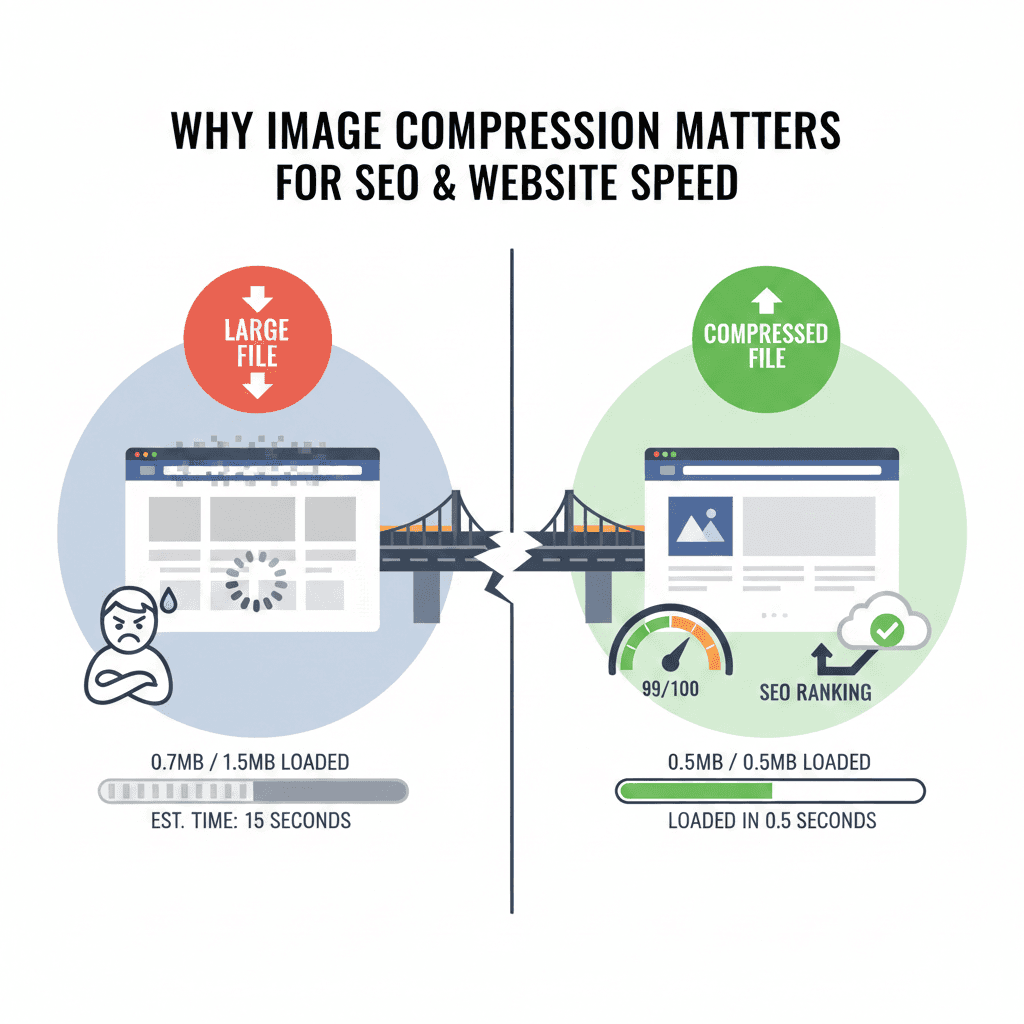
Why Image Compression Matters for SEO & Website Speed
Why Image Compression Matters for SEO & Website Speed
In today's digital world, website speed plays a vital role in both user experience and SEO performance. A website that loads slowly can impact bounce rates, reduce engagement, and even hurt rankings in search engines. One of the most effective ways to boost website speed and improve SEO is image compression. By optimizing your images, you can reduce the time it takes for your site to load, thus enhancing user satisfaction and SEO rankings.
What is Image Compression and How Does It Affect Website Speed?
Image compression refers to the process of reducing the file size of an image while maintaining acceptable visual quality. There are two main types of image compression:
Lossy Compression
Reduces the file size by discarding some image data, which may affect image quality slightly. It’s ideal for photos and large visuals.
Lossless Compression
Reduces file size without losing any image quality, making it ideal for images requiring high resolution, like logos and detailed graphics.
By reducing the size of images, you can drastically decrease page load times, resulting in better website speed and improved SEO performance.
Why Image Compression is Crucial for SEO
1. Boosting Website Speed for Better SEO Rankings
Website speed is a key factor in SEO rankings. Google has confirmed that page load time directly impacts search engine rankings. Sites with slower load times often experience higher bounce rates and lower engagement. Image compression is an effective way to reduce page load time.
Faster Load Times: Optimized images load faster, improving user experience and reducing bounce rates, which can positively affect SEO rankings.
Higher Google Rankings: Since Google uses page load speed as a ranking factor, compressing your images can improve your search engine visibility.
2. Improved User Experience and Reduced Bounce Rates
If a website takes too long to load, visitors may abandon the page before it even fully loads. This is especially true for mobile users who may have slower internet speeds. By compressing images, you ensure that your pages load faster, keeping users engaged longer.
Better Conversion Rates: Studies show that even a 1-second delay in loading can result in a 7% reduction in conversions.
Lower Bounce Rates: Optimized images contribute to a quicker site load time, reducing bounce rates and improving overall site engagement.
3. Mobile SEO Optimization
With mobile-first indexing being the standard, optimizing images for mobile devices is essential for SEO. Mobile users often experience slower internet speeds than desktop users, making image compression even more critical.
Mobile-Friendly Websites: Compressed images load faster on mobile devices, improving mobile SEO.
Optimized for Slow Connections: Image compression ensures that even users with slow connections can access your website content without issues.
How Image Compression Affects Website Speed
1. Reduced Bandwidth Usage
Website bandwidth is the amount of data transferred between your server and the visitors. Large image files consume significant bandwidth, which can slow down your website’s performance. Compressing images reduces bandwidth consumption, ensuring that your website runs smoothly even during traffic spikes.
2. Enhanced Page Load Speed for Better User Experience
Faster page load times are essential for a good user experience. Compressed images allow for quicker loading, keeping users engaged with your content. This also improves Core Web Vitals, which is a ranking factor for Google SEO.
Lower Bounce Rates: Faster loading pages lead to better user retention, keeping your visitors on your site for longer.
Better Engagement: A quick-loading website provides a seamless browsing experience, encouraging users to explore more pages.
Best Practices for Image Compression
1. Choose the Right Image Format
The image format you choose can make a significant impact on image compression. Different formats provide different levels of compression:
JPEG: Best for photographs and images with many colors, as it offers a good balance between file size and image quality.
PNG: Ideal for images that need to retain transparency, like logos. PNG is a lossless format, meaning no quality is lost, but it can be larger in size compared to JPEG.
WebP: A modern format offering excellent compression and quality, supported by most browsers.
2. Use Image Compression Tools
Several tools can help compress your images, making them smaller in size while maintaining visual quality. Some of the top tools include:
TinyPNG: A popular tool that compresses both PNG and JPEG images with minimal quality loss.
Squoosh: A free, web-based tool that allows you to compress and optimize images directly from your browser.
ImageOptim: A tool for Mac users that compresses images without sacrificing quality.
3. Automate Image Compression
For websites with regular image uploads, automating the image compression process is ideal. Tools like Smush and Imagify for WordPress automatically compress images as they are uploaded, ensuring your site remains optimized.
Why Choose a Free Image Generator Tool for Custom Graphics?
Creating high-quality images for your website is vital, and using a Free Image Generator Tool can help. Whether you need to design custom graphics, infographics, or social media posts, a Free Image Generator Tool can help you generate images quickly and easily—without the need for expensive design software.
Once you have generated your custom images, be sure to compress them using an image compression tool to maintain optimal website performance.
FAQs
1. What is image compression for SEO?
Image compression reduces file sizes without sacrificing quality, boosting website speed, and improving SEO rankings by optimizing load times for users.
2. How does image compression improve website speed?
By reducing image file sizes, compression helps pages load faster, enhancing user experience and positively impacting SEO rankings, especially on mobile devices.
3. Why is image compression important for mobile SEO?
Compressed images improve mobile load times, helping your site rank higher in Google’s mobile-first index, providing better performance on mobile networks.
4. Which tools can I use for image compression?
Tools like TinyPNG, Squoosh, and ImageOptim are popular, but the Free Image Generator Tool by Scaling High Technologies offers the best image creation and compression for high-quality visuals.
Conclusion
Image compression is one of the easiest and most effective ways to improve website speed and SEO rankings. By reducing the size of your images, you enhance user experience, reduce bounce rates, and improve your site’s loading times—directly impacting SEO and conversion rates.
If you’re looking for a simple, cost-free way to generate and compress images for your website, consider using a Free Image Generator Tool. For those who want a simple, free solution to both create and compress images, Scaling High Technologies offers a Free Image Generator Tool that allows you to create custom images and optimize them for faster website performance.
Don’t let large image files slow down your website—optimize them today for better SEO, faster load times, and improved user engagement.
Other Blogs

Your Complete Digital Solution
SEO, Stunning Websites, & Creative Designs
All in One Place
Ready to take the next step? Join us now and start transforming your vision into reality with with expert SEO, web development, and graphic design services.